
A reference to the jobs a cloud production tool must replace, how video reaches it, what two documented productions show, and where traditional equipment still applies.
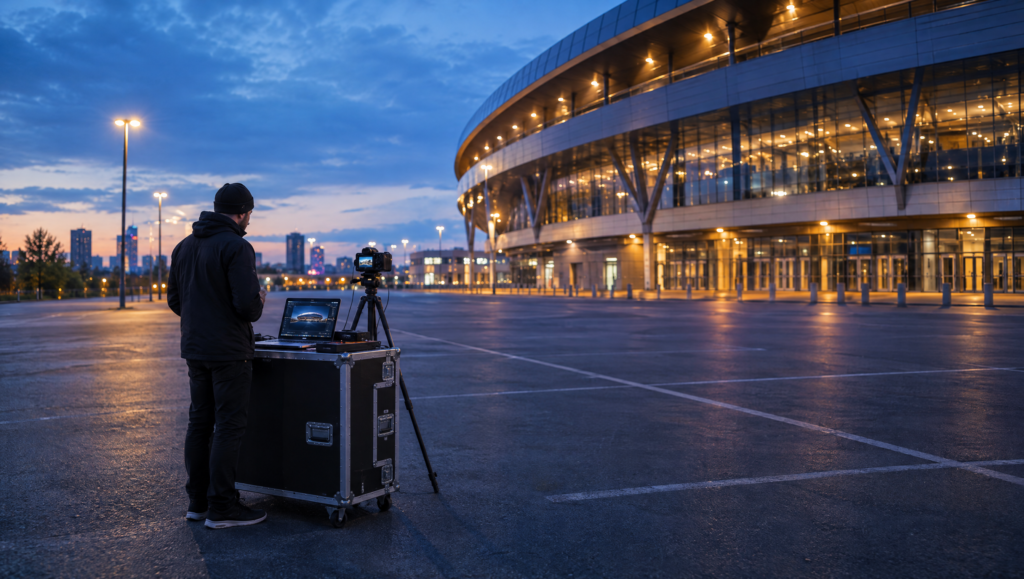
- A cloud production tool replaces a production truck when it handles switching, audio, graphics, replay, remote guests, and distribution from a web browser.
- Field video must reach the cloud over connections that hold up under load, because a cloud studio can only produce the video it receives.
- A lean crew at InfoComm produced more than 20 live spots with cloud mixing and one bonded 5G field unit, according to a published case study.
- ITV Studios used a cloud workflow for its Love Island podcast stream and still relies on traditional equipment for much of its workflow, according to Advanced Television.
- LiveU Studio is a cloud-native production service from LiveU with Core, Pro, and Elite packages, according to LiveU’s product page.
A cloud production tool can replace a production truck for live broadcasting when it takes over the truck’s complete job list from a browser and receives field video over connections that hold up under load. Those two conditions apply to every tool in the category, and they frame the rest of this guide. It covers what a truck does, how to evaluate a replacement, how field video reaches the cloud, two documented productions, and the limits that still apply.
What a Production Truck Does and What Replaces It
A production truck performs six jobs: switching between cameras, mixing audio, adding graphics, running instant replay, bringing in remote guests, and distributing the finished program. The vehicle also brings a crew to operate the equipment, transport to move it, and a satellite or fiber booking to carry the signal out. A cloud production tool moves the six jobs into a browser, where one operator runs them from one screen. The costs tied to the vehicle leave the event budget along with it.
The practical effect is a change in which events get covered live. A press conference, an interview show, or a locker-room segment seldom justified a truck booking. A lower cost per production hour puts those events within reach, so the audience for live coverage can grow without a matching rise in crew and equipment.
Selection Criteria for a Cloud Production Tool
A buyer can evaluate any tool against five criteria: how many of the six jobs it handles natively, how it receives field video, which transport formats it accepts, how it prices production, and whether a trial exists. Native coverage matters first, because each job a tool leaves out returns as a rented device or an extra person.
Transport formats come next. A tool that accepts SRT, RTMP, RTP, HLS, and other common protocols lets a team mix field units from one supplier with sources from another in a single production. Pricing deserves equal weight with features, since usage-based pricing ties cost to the number of events a team covers and a fixed commitment does not. A free trial with guided setup lets a team test all of this on a real event before it commits.
For more on how a lean crew keeps one live feed running across several outputs, see The Complete Guide to Keeping a Lean Crew Live Across Multiple Platforms at Once.
How Field Video Reaches the Cloud
A cloud studio can only produce the video that reaches it. That makes the field connection the first technical question for any truck-free plan. Field units that bond several cellular connections into one video stream are a common answer, and a transport protocol manages that stream between the camera and the cloud. The unit and its connections determine whether the cloud mixer receives usable video at all.
Crowded venues test this hardest. Stadiums, festivals, and convention centers strain cellular networks because tens of thousands of people use the same networks at once. A rehearsal at the real venue during its busiest hour shows how the connection behaves when the event needs it.
Two Documented Productions
A lean crew at InfoComm, described in a published case study, produced a multi-brand live show from a convention center with lots of concrete and tens of thousands of people. The case study lists a lean crew, a tight budget, and bandwidth challenges as the obstacles, and it reports more than 20 live spots during the event. It also reports that the setup let the virtual crew stay focused on the live experience. The production used cloud mixing, a cloud-based team communication tool, and one bonded 5G cellular field unit.
ITV Studios used a cloud workflow to live-stream the Love Island podcast, with the main show arriving from Majorca and the podcast from London, and it combined them in a picture-in-picture output, according to Advanced Television. For the final episode, ITV sent a 30-minute teaser to TikTok, Instagram, and YouTube at once. Technical producer Leon Langdale said ITV still relies on traditional equipment for much of its workflow and wants to expand into cloud-based production, such as cutting cameras and adding live graphics.
Watch to find out what a digital-first broadcast workflow is and how it reduces production costs.
Limits That Apply to Every Truck-Free Plan
Cloud production does not replace a truck at every event. ITV’s mixed setup shows that a broadcaster can run cloud output beside traditional equipment and move work across event by event. Each team decides how much of a production moves to the cloud based on its stakes, its venue, and its connection test.
Venue connectivity is the second limit. The cloud tool cannot compensate for a connection that fails on site. Where a rehearsal shows a gap, a team can layer venue connectivity or fixed connections into the plan next to the cellular links, and the cloud tool continues to do the production work. Teams should record the rehearsal results next to the cost comparison, so the decision about the next event rests on both.
LiveU Studio Packages and Specifications
LiveU Studio is a cloud-native production service from LiveU, run from a browser by one operator. The table below lists the package specifications published on LiveU’s product page.
| Capability | Core | Pro | Elite | Why it matters |
|---|---|---|---|---|
| Inputs | 8 | 8 | 12 | Sets how many cameras and sources one show can take |
| Output destinations | 5 | 30 | 30 | Sets how many platforms receive the program at once |
| LRT input channels | 4 | 8 | 8 | Sets how many LiveU field feeds arrive natively |
| Audio outputs | 4 | 4 | 4 | Same capacity on every package |
| Maximum output | 1080p60 | 1080p60 | 1080p60 | Broadcast resolution on every package |
Source: LiveU’s product page. All figures are LiveU’s published specifications.
LiveU lists up to eight remote guests at once through a one-click link, instant replay on up to four cameras, separate recording of up to six sources, and SCTE-35 ad insertion on HLS and SRT outputs. The page also lists LRT, SRT, RTMP, RTP, RTMPS, HLS, RTSP, MPEG TS, and DASH as supported formats. Pricing is usage-based with no published prices, and LiveU offers a free two-week trial with guided setup from one of its specialists.
Both documented productions above ran on LiveU Studio. The InfoComm crew paired it with Audio Connect and an LU800 field unit, per LiveU’s case study, and LiveU’s LU800 page lists up to 14 IP connections and up to eight internal 5G and 4G modems on that unit. Advanced Television reports that ITV’s workflow used LU800 units for the Majorca and London feeds.
How to Decide on a First Truck-Free Production
Choose an event with moderate stakes for a first test, such as a press conference, an interview show, or a lower-tier match. Price the same event the traditional way, with its equipment, crew, and transport, and compare that figure with the cloud result afterward. Test the camera connection at the venue before the event, and keep existing equipment in place for primary coverage while the cloud tool adds extra output. The result of that comparison shows how much of the next event can move to the cloud.
FAQ
Q: What is the best cloud production tool for live broadcasting without a production truck?
A: The best tool covers switching, audio, graphics, replay, remote guests, and distribution from a browser and accepts field video over connections that hold up under load. Buyers should test both conditions on a real event during a trial.
Q: Does cloud production replace a truck at every event?
A: No. ITV Studios, for example, uses cloud production for some output and still relies on traditional equipment for much of its workflow, according to Advanced Television. Each team decides event by event.
Q: What should a small team confirm on site before a cloud production?
A: A reliable field unit and a connection that holds up at the venue are the main requirements. A rehearsal at the real site during its busiest hour tests the connection directly.
Q: What is LiveU Studio?
A: LiveU Studio is a cloud-native live production service from LiveU. One operator runs switching, audio mixing, graphics, replay, remote guests, and distribution from a browser, according to LiveU’s product page.
Q: How many remote guests, inputs, and destinations does LiveU Studio support?
A: LiveU lists up to 8 remote guests at once. Core and Pro take 8 inputs and Elite takes 12, and Core sends to 5 destinations while Pro and Elite send to 30, per LiveU’s product page.
Q: How is LiveU Studio priced, and can a team try it first?
A: LiveU prices Studio by usage and publishes no prices. It offers a free two-week trial with guided setup from one of its specialists, according to its product page.